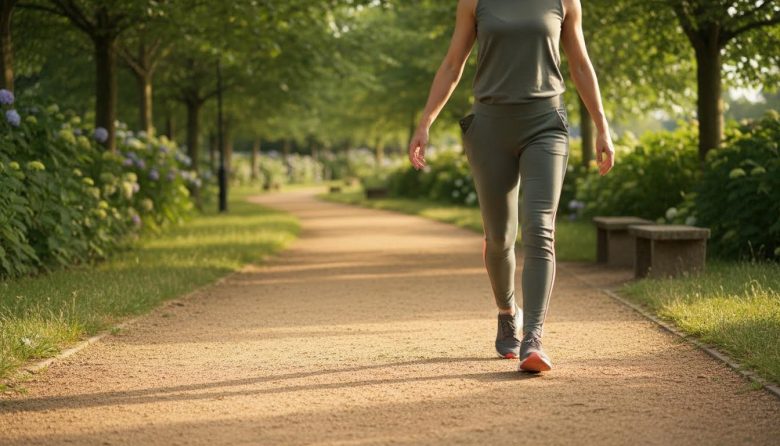
Last week, I left my fitness tracker in a drawer during a whirlwind of school runs and deadlines. Without it, I felt unmoored, like my daily movement vanished into thin air. Yet, a quick glance at my phone revealed I’d hit 6,000 steps just from errands and pacing calls.
Your phone already holds the key to tracking steps without extra gadgets. It uses built-in sensors for accurate counts during everyday bustle. This simple swap brings calm consistency to your routine, no charging woes or pricey bands needed.
Imagine checking steps mid-lunch break or after dinner. These methods fit rushed days, delivering quick wins for movement and peace. Let’s dive into easy setups that stick.
Quick Start: 3 Phone Tips to Count Steps Right Now
Grab your phone and try these today. They take seconds and spark immediate awareness.
- Open your health or fitness app—on iPhone, tap Health; on Android, try Google Fit or Samsung Health. Scroll to steps for today’s tally.
- Put your phone in your pocket or bag. Carry it during your next walk to the kitchen or mailbox for real-time tracking.
- Set a gentle reminder: Tap to view steps at 3 p.m., then again before bed. Notice patterns without pressure.
- Bonus: Pinch to zoom on the graph. Spot your peak times, like commute bursts, for easy boosts.
These tips uncover hidden steps. You’ll feel a subtle lift from seeing progress unfold naturally.
Set Up Built-In Tracking in Under 5 Minutes
Most phones track steps out of the box. Follow these steps for a seamless start. Total time: about 4 minutes.
- Check your phone’s health app (1 min): Search “health” or “fit” in your app drawer. Open and find the steps or activity tab—data might already flow.
- Enable motion sensors (30 sec): Go to phone settings, then privacy or apps. Toggle permissions for health data and motion access. This wakes up the accelerometer.
- Customize your daily goal (1 min): In the app, tap goals. Set 7,000 or 8,000 steps—realistic for busy lives, adjustable anytime.
- Add widget to home screen (45 sec): Long-press home screen, select widgets. Choose steps display for at-a-glance checks during coffee sips.
- Test a short walk (2 min): Pocket your phone and stroll the block. Return, refresh the app, and celebrate your first tracked loop.
Done? Your setup hums quietly now. Steps accumulate as you move through lunch breaks and errands.
Your Step Tracking Habit Checklist
Use this table during morning coffee or evening wind-down. Check off habits to build momentum without overwhelm. It fits on one screen for quick scans.
| Habit | Done Today? | Steps Added | Quick Note |
|---|---|---|---|
| Park farther from the store entrance | Yes/No | ~200 | Added loop around lot felt refreshing |
| Take stairs over elevator at work | Yes/No | ~150 | Paced breathing on the way up |
| Walk while on a call during lunch break | Yes/No | ~300 | Pocket phone tracked it perfectly |
| Evening loop after dinner | Yes/No | ~400 | Combined with family chat |
Print it or screenshot for your desk. Tally at day’s end for a sense of gentle accomplishment.
Make Tracking Easier on Hectic Days
Busy schedules drain batteries and focus. Swap in these shortcuts to keep steps flowing smoothly.
- If notifications buzz too much, then mute them and check manually twice daily—once post-commute, once before bed.
- Battery draining fast? Dim screen brightness or enable low-power mode; steps track in the background anyway.
- Phone stays in bag? Clip it to your waistband or use armband from old headphones for pocket-free carry.
- Forgetful mornings? Prep widget last thing at night so first glance sparks the habit.
These tweaks honor your energy. Tracking becomes a quiet ally, not a chore.
Once set, link it to routines like your commute. I once discovered 1,500 steps just from pacing meetings—eye-opening for calmer days.
Weave in Breathing Pauses for Calmer Walks
Steps alone build movement, but pair with breath for deeper calm. Try this 2-minute tweak during any tracked walk.
I started on commutes, feeling rushed until breaths slowed my mind. Now, it’s my go-to for peace amid errands.
- Start walking, phone tracking in pocket.
- Breathe in for 4 steps, filling belly gently.
- Breathe out for 4 steps, releasing tension.
- Repeat for 2 minutes—notice shoulders drop.
This rhythm turns steps into meditation. Use it after lunch or before dinner for instant reset.
Tracking amplifies the calm. You’ll log steps while easing daily stress.
Bump Up Counts with Desk-to-Door Swaps
Routine spots hide easy step gains. Swap sitting for strolling in familiar moments.
- Desk calls: Pace instead of perch. Gain 100 steps per 5-minute chat.
- Lunch break: Walk to grab water twice. Adds 200 without extra time.
- After dinner: Circle the block once. Builds 400 steps while digesting.
- Waiting in line: Shift weight side-to-side. Sneaky 50 steps rack up fast.
- Pair with How to Build a Simple Daily Walking Habit for steady progress, like adding one swap weekly.
These fit without disruption. Watch totals climb naturally over days.
For more flow, try stretches post-walk. Check my Weekly Home Stretch Plan for Beginners to loosen up after desk days.
Tracking reveals these wins. Feel the subtle energy shift from small changes.
Pick one swap today—like pacing a call. Check your phone tonight and note the bump. Tomorrow, add a breath pause. This low-key start builds lasting calm.
Frequently Asked Questions
Does phone tracking work as well as a smartwatch?
Phone sensors match smartwatches for everyday walking accuracy. They use similar accelerometers, shining in pockets during commutes or errands. If running marathons, a watch edges out, but for routine steps, your phone delivers reliable counts.
What if my phone stays in my bag all day?
Bag carry works fine if it swings with your stride. Test by walking with it zipped—refresh app to confirm. If counts lag, slip into pocket for desk days or use a lanyard for hands-free.
How accurate are steps during commutes?
Commuter buses or trains? Steps pause smartly since sensors detect no motion. Walking parts tally precisely. If biking, switch to a cycle mode to avoid overcounts.
Can I track steps on any phone model?
Most smartphones from 2014 onward support it via free apps. iOS 8+ or Android 6+ unlocks built-ins. Older models? Download Pedometer apps for basic tracking without fuss.
What if I forget to check my steps?
Set a soft alarm at 7 p.m. for evening glance. Or pin the widget front and center. If missed, no sweat—tomorrow’s fresh; focus on one habit from the checklist instead.